The NoteNimbus app icon

One sticky note, always with you

Open the app or tap the widget and start typing. That is the whole thing.

Get it on the App Store
Free. iPhone, iPad and Mac. No account needed.

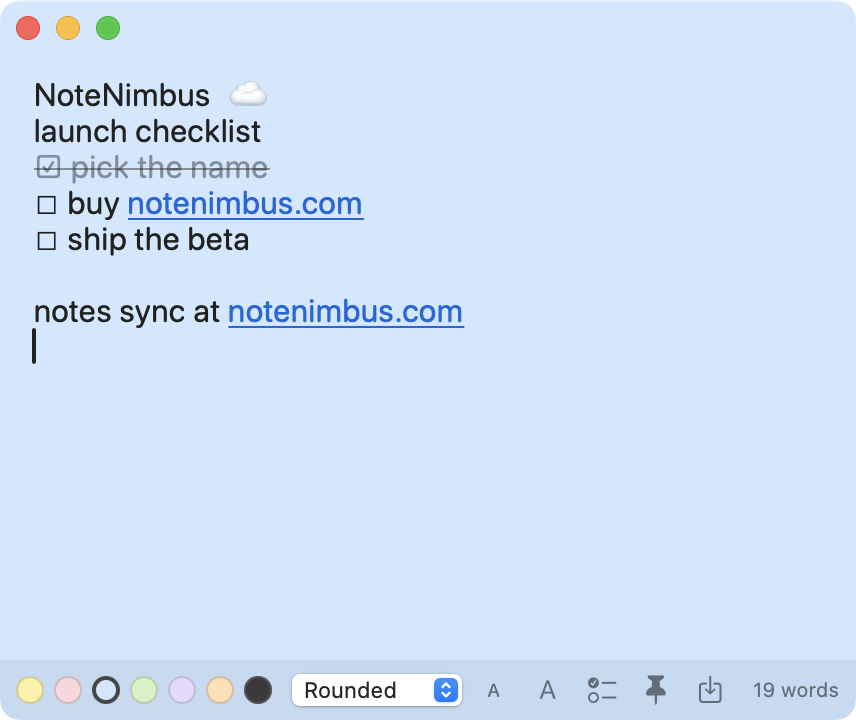
NoteNimbus showing a note on screen

Everything a sticky note should do

No folders, no filing, no save button. The note is already open and already yours.

Widget first

Put your note on your Home Screen or desktop. It shows at a glance and opens in one tap.

Always in sync

Sign in to the same iCloud account and your note follows you. Start a thought on your Mac, finish it on your phone.

Capture from anywhere

Use the Share button in Safari, Photos or Messages to send text and links straight into your note.

Nothing to save

Every keystroke writes itself to disk. Close the app whenever you like and it is exactly where you left it.

Live links

Type a web address and it becomes clickable on its own. No formatting menus involved.

Your style

Note colors, fonts and adjustable text size, so a grocery list does not have to look like a work note.

Word count

A running count as you type, for when the note is actually a draft of something.

Made for Mac too

A desktop widget, a global hotkey, checklists, transparency and pin on top.

NoteNimbus Pro

The free app stays free and keeps one note forever. Pro is a single purchase, not a subscription, and it unlocks the rest.

✓
Multiple notesKeep as many as you like instead of one, all synced across your devices.
✓
Note historyLook back at earlier versions of a note and restore any of them.
✓
More colors and fontsSix more colors and five more fonts on top of the free set.
✓
App lockRequire Face ID or your passcode before your notes open.

See current pricing on the App Store

Private because there is nowhere else to put it

This is not a promise about how carefully we handle your data. There is no server of ours for your notes to sit on.

Data Not Collected. That is the App Store privacy label on NoteNimbus, and it is accurate. Your note lives on your device and in your own private iCloud account. There is no account to create, no analytics, no advertising and no third party code in the app.

Read the full privacy policy

Questions

Do I need to create an account?
No. NoteNimbus has no accounts and no sign up. Syncing uses the iCloud account already signed in on your device.
How does syncing work?
Your note is saved to your own private iCloud storage, the same way Apple's own apps do it. Sign in to the same Apple Account on each device and the note appears on all of them.
Does it work without internet?
Yes. The note is stored on the device first. Syncing catches up whenever you are back online.
Is Pro a subscription?
No. Pro is a single purchase and it covers iPhone, iPad and Mac on the same Apple Account.
Something is wrong. Who do I talk to?
A real person reads every message. The support page has the address and the fixes for the most common problems.

Get NoteNimbus

Free to start. One note, everywhere you work.

Get it on the App Store